2026 GUIDECustom houses, rooms, renovation, and item design
Tomodachi Life: Living the Dream Custom House Guide
Use this practical workflow to plan a custom house, choose a readable room theme, prepare a shared home for several Miis, and create supporting items without turning every room into visual clutter.
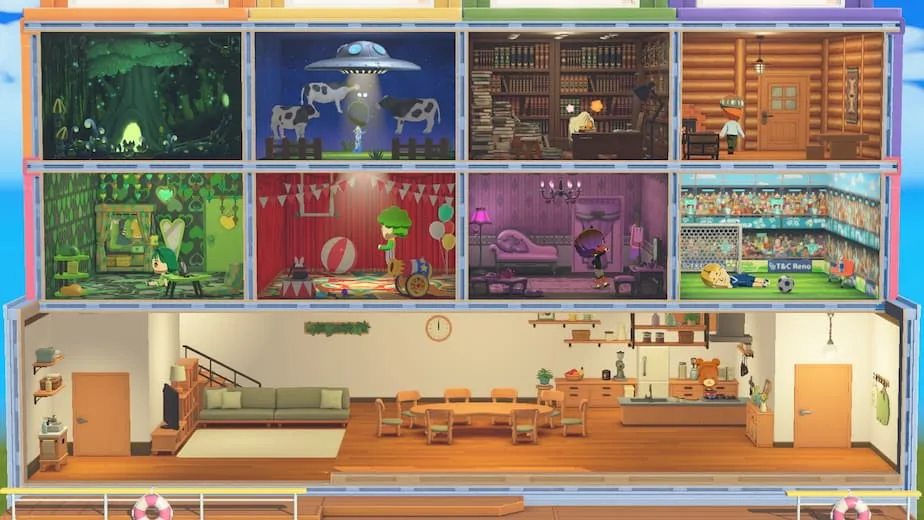
Official Nintendo screenshot showing a large residence with several themed rooms and one shared living area.
Start with one visual idea
Choose a resident story or room purpose first, then repeat two or three colors and a small number of recognizable props.
Plan shared space first
For a multi-Mii house, make the kitchen, table, and social area readable before decorating private rooms.
Save reusable designs
Build simple custom items that can support several rooms instead of drawing a highly specific object that works only once.
How Tomodachi Life custom houses work
A good Tomodachi Life custom house is not the one with the most objects. It is the house whose purpose is obvious at a glance. Start with the resident or household: who lives there, what they enjoy, and which room should carry the strongest visual identity. A forest fan might use green walls and natural props, while a performer might need a stage-like room with one clear focal point.
Living the Dream supports much more visual customization than the older 3DS game. Nintendo's official product page shows residences with different room themes, a renovation facility, shared living spaces, landscaping, and an editor for drawing custom objects. Exact unlock timing can depend on progression, so use in-game prompts rather than an unsourced day-by-day checklist.
Treat the house as a small system. Private rooms express individual Miis; shared rooms help the household read as one place; custom items connect the theme. If all three layers compete for attention, the house feels noisy. If each layer has a job, even a simple design looks intentional.
A reliable custom-house design workflow
Design in passes instead of finishing one corner at a time. The first pass establishes function and walking space. The second pass chooses color and large surfaces. The third adds a few recognizable objects. The last pass removes anything that hides the room's main idea.
Before a major renovation, finish time-sensitive resident requests and make sure the game has saved normally. Nintendo's Ver. 1.0.4 notes include a fix for a rare save-corruption case involving Island Builder after the island had grown, so keeping the software updated is part of safe design work.
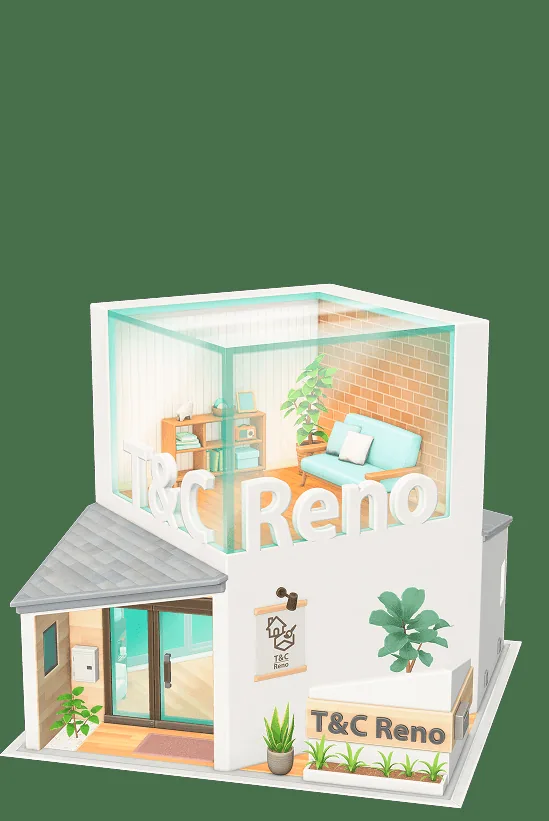
Official Nintendo artwork for the renovation facility. Availability and menu labels can vary by region and progression.
1
Write a one-line room brief
Example: a calm reading room for a bookish Mii, or a colorful shared kitchen for eight residents.
2
Place the largest surfaces
Choose the floor, walls, main bed or table, and the dominant background before small decoration.
3
Pick a two- or three-color palette
Use one main color, one supporting color, and an optional accent so the room stays readable.
4
Add one focal object
A stage, unusual bed, large table, display wall, or handmade item should explain the room immediately.
5
Test the room in motion
Watch a resident use the space. Remove objects that obscure Miis, doors, seating, or important interactions.
Custom house ideas that remain readable
The strongest ideas come from a Mii's routine, not from copying a crowded screenshot. A hobby room needs one obvious activity. A themed bedroom needs one dominant mood. A shared living room needs open seating and a clear table or conversation area. You can still make absurd or surreal rooms, but the joke works better when the viewer can identify it quickly.
Use the table below as a starting point rather than a fixed recipe. Swap colors and props to fit the resident, then keep enough empty floor or wall area for the Mii to remain visible.
House idea
Useful visual anchor
Common mistake
Cozy library
Book wall, reading chair, warm lamp
Filling every surface with small books
Forest retreat
Green wall, plants, one natural feature
Using too many similar green objects
Stage or studio
Performance area, spotlight, camera or prop
Blocking the performer with decoration
Retro family home
Large table, simple kitchen, shared sofa
Making the shared route too narrow
Surreal comedy room
One oversized or unexpected object
Adding several competing jokes
Character-inspired room
Two colors and one recognizable symbol
Copying details that are unreadable at game scale
How to plan a shared house for several Miis
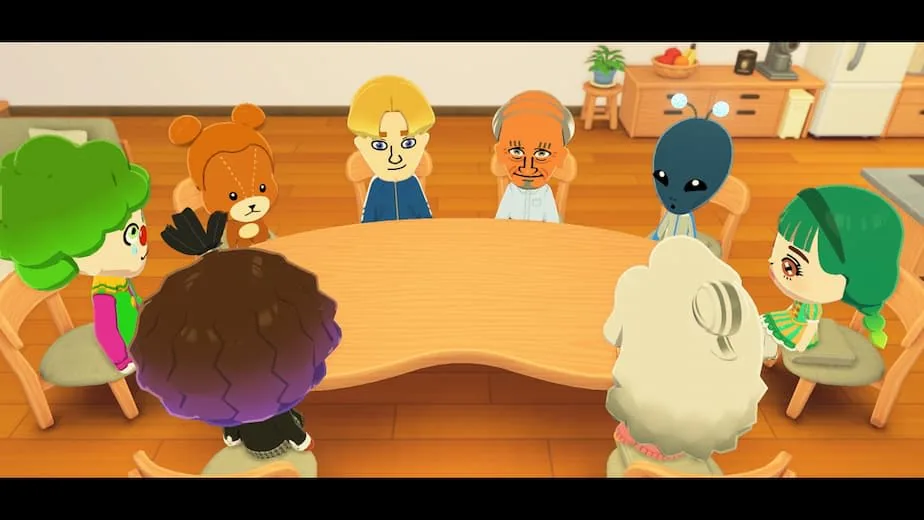
A shared house has two different design problems: residents need individual identity, while the household needs a common center. Build the shared center first. A large table, kitchen, lounge, or activity area makes the house feel inhabited and gives group scenes a clean background.
Private rooms can then become stronger and stranger because the common room supplies visual continuity. Repeat one floor tone, doorway treatment, or small color across the house, even when the bedrooms use completely different themes. This makes a multi-room residence feel like one building instead of unrelated screenshots placed side by side.
House size and who lives together are progression-dependent. Do not reserve a design around a rumored resident count or relationship event before the game confirms it. For marriage, children, compatibility, and household relationships, use the dedicated relationships guide rather than forcing those questions into a decorating page.
Official Nintendo screenshot demonstrating why a clear shared table and open social area matter in a multi-Mii residence.
Use custom items to support the house theme
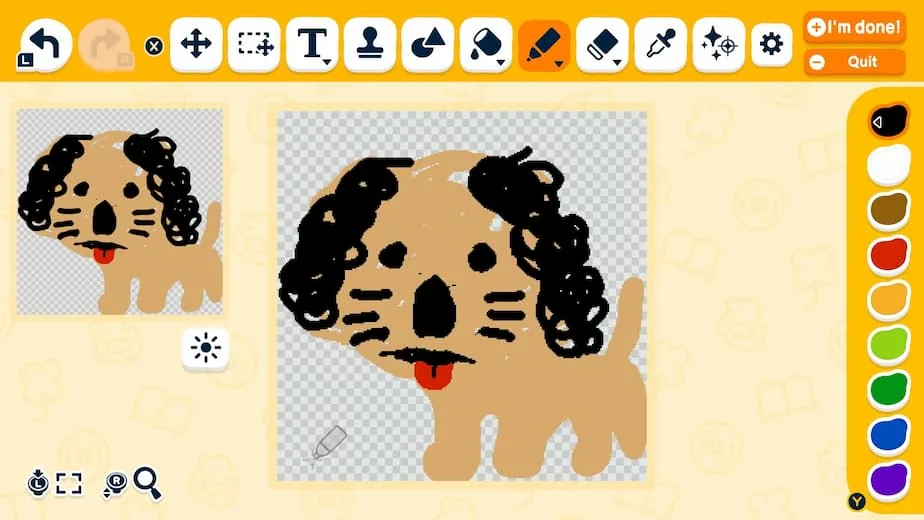
The drawing editor can turn a simple sketch into a custom object, food design, screen image, costume detail, or other personalized visual. The most useful custom items have a bold silhouette, limited colors, and enough contrast to survive at a smaller size. Tiny handwriting and intricate shading may look good while editing but become muddy in the finished room.
Start from the item's final use. A wall picture can hold more detail than a small food graphic. A repeating decorative object should be simple enough to recognize several times. If the design is meant to be shared as inspiration, save a clean screenshot of the editor and explain which category or room it supports; do not offer unknown save files, executables, ROM patches, or unofficial download packs.
Custom items are best treated as accents. One handmade pet, portrait, sign, or food design can personalize a room. Ten unrelated drawings usually weaken the house theme and make it harder to see resident activity.
Official Nintendo screenshot of the custom-item editor. Simple shapes and limited colors remain readable when the object is used in a room.
Limits, saving, and common design mistakes
Nintendo's public pages show the customization systems but do not document every object limit, room limit, or unlock condition. Treat exact numbers from third-party posts as version-sensitive unless you can reproduce them in your own game. When a design stops accepting changes, check the on-screen message and remove low-value decoration before rebuilding the entire room.
Update the game through the Nintendo Switch system, save before a large redesign, and avoid leaving important changes until a low-battery session. If a house or Island Builder state appears stuck, close only after confirming the current save status; then reopen the game and test a small change first. The update guide tracks confirmed fixes and separates them from community speculation.
The most common creative mistake is solving every problem with more detail. Better houses usually have stronger hierarchy: one main idea, one social or functional path, and a few custom accents. Take a screenshot before and after removing clutter. If the Mii and the room purpose become easier to recognize, the simpler version is stronger.
Frequently asked questions
How do you make a custom house in Tomodachi Life: Living the Dream?
Progress until the game introduces home and renovation features, then use the available house or renovation menus. Start with room function, large surfaces, a small color palette, and one focal object before adding custom items.
Can you customize both the inside and outside of a house?
Nintendo's official media shows varied residences, room interiors, shared houses, renovation, landscaping, and custom design systems. The exact options available to you depend on progression and the current menu.
What is a good custom house idea for beginners?
Use a simple hobby room: one clear activity, two main colors, a large recognizable prop, and enough empty space to see the Mii. A library, studio, plant room, kitchen, or comedy room all work.
How many Miis can live in one shared house?
Official screenshots show a shared residence with a large group, but household availability and size depend on progression. Follow the in-game limit shown for your residence instead of assuming every house supports the same count.
Can I download other players' custom houses or items?
Nintendo's public pages do not provide an official downloadable house-pack system. Share screenshots, drawing references, and recreation instructions; avoid unknown save files, executables, ROM patches, and unofficial download bundles.
What is the latest verified game version?
Nintendo Support still lists Ver. 1.0.4 as the latest update checked on July 30, 2026. The update fixes save, progression, display, and stability issues; Nintendo does not publish an update file size on the support page.