Guide Mii sharing, local play, and safe alternatives
Tomodachi Life: Living the Dream Mii Sharing Guide
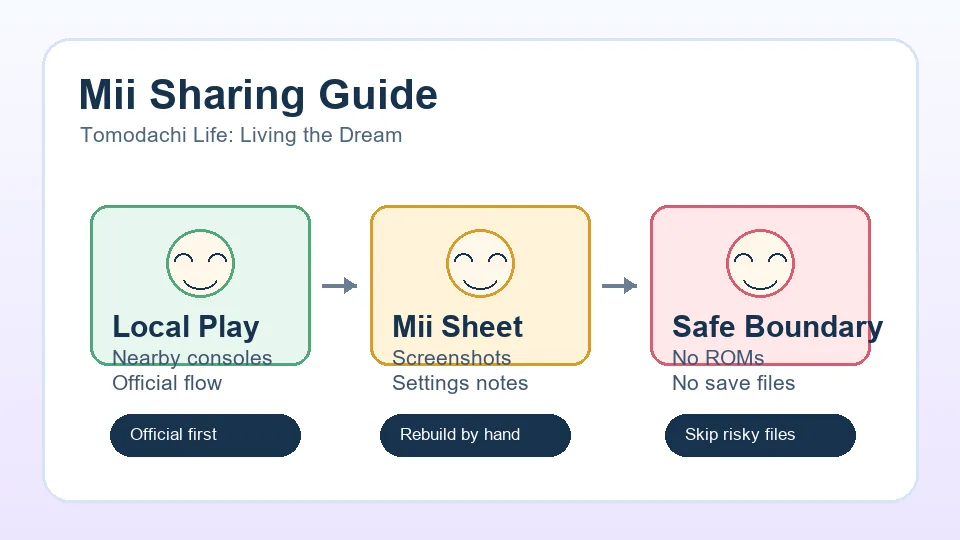
Separate supported nearby local play from screenshots and manual Mii templates, and treat QR, website, ROM, and save-file claims with care.
Guide Mii sharing, local play, and safe alternatives
Separate supported nearby local play from screenshots and manual Mii templates, and treat QR, website, ROM, and save-file claims with care.
The safest assumption is no public internet Mii marketplace. Treat any tool promising downloadable saves, ROM packs, or automatic imports as outside official play.
Official local play is the route to check first when two nearby players want to connect their islands through supported in-game features.
Use screenshots, face settings, voice notes, personality notes, clothing names, and catchphrases so another player can rebuild the Mii by hand.
Players usually mean three different things when they search for Tomodachi Life: Living the Dream Mii sharing. Some want to exchange characters with a friend, some want to import a celebrity or fictional cast, and some are looking for a public QR-code style library like older fan communities used. Those are different intents, so the safest first step is to separate official local features from fan-made recreation notes.
Tomodachi Life works best when your island cast feels personal. Sharing is useful, but the game is not a generic character-download platform. For most players, the practical workflow is simple: connect locally when the game supports it, then keep a human-readable Mii sheet for anything you want another person to rebuild. That avoids broken imports, wrong-region assumptions, and unsafe file sharing.
| Sharing goal | Best method | Risk level |
|---|---|---|
| Play with a nearby friend | Use the official local play option from the game and Nintendo support instructions. | Low |
| Copy a favorite Mii design | Share screenshots plus face, voice, personality, outfit, and catchphrase notes. | Low |
| Find a public Mii library | Use it only as visual inspiration unless the game gives an official import path. | Medium |
| Download saves, ROMs, or mod files | Avoid. These can break saves, violate platform rules, or expose accounts and devices. | High |
Local play is the official route to investigate when two players are in the same room with their own systems and game copies. Before starting, update the game, keep both systems charged, disable airplane mode, and make sure each player has reached the in-game feature that enables local communication. If the menu item is missing, progress a little farther on the island and check again.
Because local communication depends on the current game state and system settings, do not assume it will behave like an online friend-code exchange. Treat it as nearby console-to-console play. If you are helping a younger player, keep the session supervised and avoid sharing personal names, school details, or account information inside Mii profiles.
Save progress, close unrelated online apps, and place both systems close together so local wireless has a clean connection.
Both players should enter the supported local play menu from inside the game instead of mixing system-level menus with in-game prompts.
Read each confirmation screen before accepting. If the game previews names or island data, verify the correct player before continuing.
After the session, reopen the relevant Mii, island, or visitor screen to confirm the data arrived as expected.
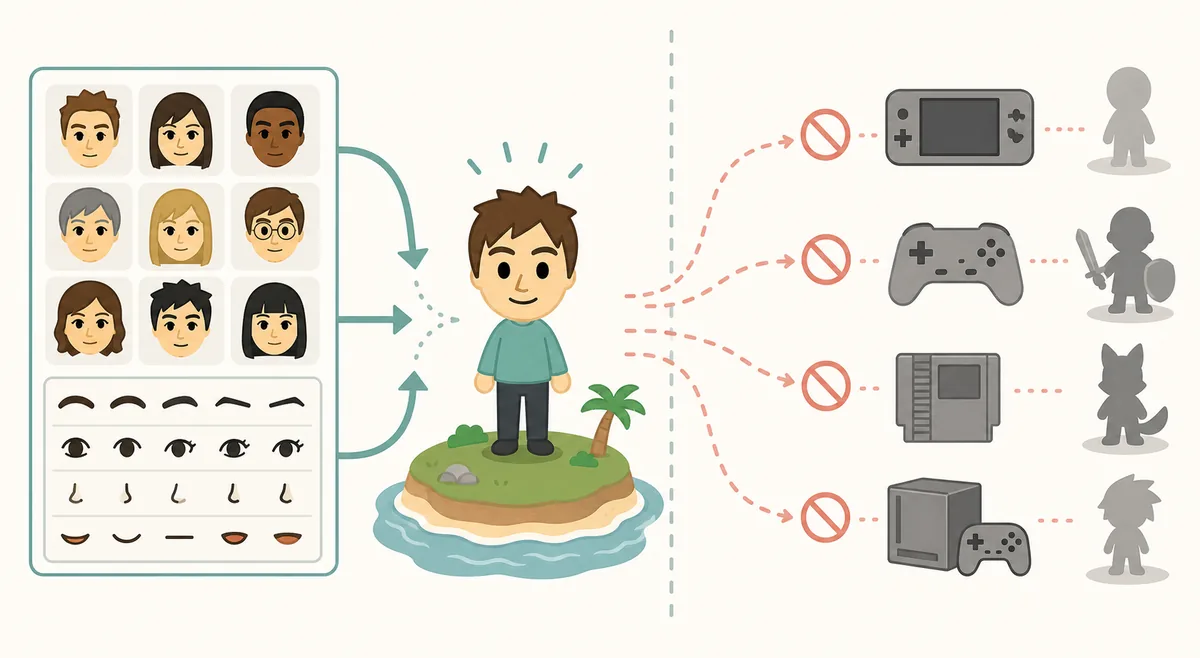
Manual sharing is slower than a one-click import, but it is reliable, searchable, and easy to translate across regions. It also works for fan casts where the exact import format is unavailable. Create a simple Mii card with front and side screenshots, then list every setting another player needs to recreate the resident without guessing.
A good template includes the Mii name, pronunciation, face shape, hair style, eyebrows, eyes, nose, mouth, glasses or accessories, height, build, voice, personality, favorite outfit, room style, catchphrase, and any role on your island. If you are sharing a public guide or social post, avoid real private details. Use fictional names or nicknames when the Mii is based on a real person.
Use a clean front screenshot and, if possible, a second screenshot that shows hair, glasses, and profile details.
Follow the same order as the Mii editor so the other player can rebuild the character without jumping between sections.
Describe the personality choice and any role-playing intent, such as shy neighbor, loud singer, serious mayor, or chaotic roommate.
Ask someone to rebuild the Mii from your notes. If they need to ask questions, add those missing details to the template.
Search results for Mii sharing often mix legitimate guides with unsafe download pages. Avoid any page that asks for a ROM, emulator build, modified save, account token, paid unlocker, or unknown executable. Even if the promise sounds convenient, those methods can damage saves, expose private data, and move the player outside official support.
This boundary matters for SEO as much as safety. Players searching for download or emulator terms may be trying to solve a real access problem, but a fan wiki should answer with safe purchase, local play, and manual recreation paths. The page can acknowledge the demand without helping users bypass the official game.
| Claim you may see | Why to avoid it | Safer alternative |
|---|---|---|
| Instant Mii import pack | May require unverified files or save replacement. | Use screenshots and a rebuild sheet. |
| Emulator save with characters included | Outside official play and often tied to piracy or malware risk. | Use official hardware and local play. |
| Account login to sync Miis | Unnecessary for a fan tool and risky for personal accounts. | Never enter Nintendo account credentials on fan sites. |
| Paid unlocker or generator | No trustworthy reason to pay for unofficial Mii files. | Share free visual notes instead. |
Players often search for QR codes because older Mii communities trained everyone to expect a quick scan-and-import flow. For Living the Dream, do not assume that a public QR library, save file, or web importer is official. The safest shareable format is still human-readable: screenshots plus the exact editor settings, voice, personality, outfit, catchphrase, and island role.
Use official local play when two nearby players want to use a supported in-game connection, and use a manual template when the goal is to copy a character idea across regions or languages. This keeps the page useful for QR and download searches without recommending ROMs, emulator saves, account tools, or unknown files.
| Sharing format | Best use | Boundary |
|---|---|---|
| Official local play | Nearby players using supported in-game communication. | Follow the current game and Nintendo Support prompts only. |
| Screenshot sheet | Sharing a celebrity, friend, or original character design. | Include front/side images plus editor values. |
| Text template | Posting a searchable Mii recipe in a guide or community thread. | List personality, voice, outfit, room, catchphrase, and role. |
| QR-style posts | Using older fan libraries as visual inspiration. | Do not treat them as guaranteed Living the Dream imports. |
| Save or ROM downloads | Promises of instant packs or unlockers. | Avoid them; they are outside official play and can be unsafe. |
The strongest match for the current search demand is Tomodachi Life Mii sharing: players want a nearby exchange method, a Mii sharing website they can trust, or a repeatable recipe. Those are not the same thing. Use official local play for supported nearby communication and a manual template for screenshots, editor values, personality, voice, and catchphrase.
Treat mii share, tomodachi share, and ShareMii as context terms, not proof of an official online importer. The question Why did they remove Tomodachi Life Mii sharing? usually reflects older QR or online-sharing expectations. Answer it with current feature boundaries, then keep ROM, emulator, save, and account downloads out of the workflow.
| Candidate search term | Volume / difficulty | Intent | Best page action |
|---|---|---|---|
| Tomodachi Life Mii sharing | Similarweb global volume 7,280; difficulty 11 | Main informational guide | Keep in title, intro, FAQ, and local-play explanation. |
| Tomodachi Life: Living the Dream Mii sharing | Global volume 5,825; difficulty 10 | Release-specific variant | Use in supporting paragraphs and metadata. |
| Tomodachi Life Mii sharing website | Global volume 600; difficulty 10 | Website/source evaluation | Add as a trust and safety example, not a marketplace promise. |
| Mii share | Global volume 8,326; difficulty 17; navigational | Supporting anchor | Use only when the surrounding copy clearly means Tomodachi Mii sharing. |
| Why did they remove Tomodachi Life Mii sharing? | Question volume 50; difficulty 4 | FAQ intent | Answer with the difference between current features and older QR expectations. |
| Tomodachi Share / TomodachiShare | Navigational; high but ambiguous | Different entity or destination | Do not target as the page's main term or imply an official relationship. |
If local play does not connect, restart both systems, move them closer together, update the game, and check that both players are in the same communication flow. If one player has not unlocked the required feature, progress that island first. Local wireless can also fail in crowded environments, so try again away from other active devices.
If a rebuilt Mii looks wrong, compare one setting at a time instead of remaking the whole character. Face proportions, eye spacing, eyebrows, mouth size, and voice pitch usually create the biggest mismatch. Keep version notes when you improve a public Mii template so friends know which screenshot and settings belong together.
Only use import paths that the game itself or Nintendo officially supports. If a website asks you to download saves, ROMs, executables, or account tools, treat it as unsafe.
No. Local play means nearby systems communicate directly through supported game features. Online sharing would be a separate internet-based system, and you should not assume one exists unless the game presents it clearly.
Use a rebuild sheet: screenshots, editor settings, voice, personality, outfit, room style, and catchphrase. That gives other players enough detail without unsafe file downloads.
Treat older 3DS QR codes and fan libraries as visual references unless Living the Dream provides an official import path for that exact data.
Some players search for shortcuts after release, but those paths are outside this site's editorial boundary. Use official purchase options, local play, and manual Mii recreation instead.
Include screenshots, face settings, hair, accessories, height, build, voice, personality, outfit, room, catchphrase, and a short note explaining the character concept.
Only use a QR or import method if the current game clearly supports it. If a QR post or download page requires save files, ROMs, emulator data, or account access, treat it as unsafe and rebuild the Mii manually instead.
It usually means either official nearby local play or a manual recipe for rebuilding a Mii. This guide treats broad Mii share searches as safe sharing advice, not as a file-download feature.
Usually they are comparing Living the Dream with older QR-code or online-sharing expectations. Current sharing depends on the features Nintendo exposes in the released game and system software, so use supported local options or a manual appearance-and-personality template when a legacy method is unavailable.