2026 GUIDEDaily routines, Mii stories, dreams, and creative play
What Do You Do in Tomodachi Life?
Create Mii residents, solve their requests, watch friendships and romances develop, check dreams, visit island facilities, and return later to see what unexpected story the simulation creates.
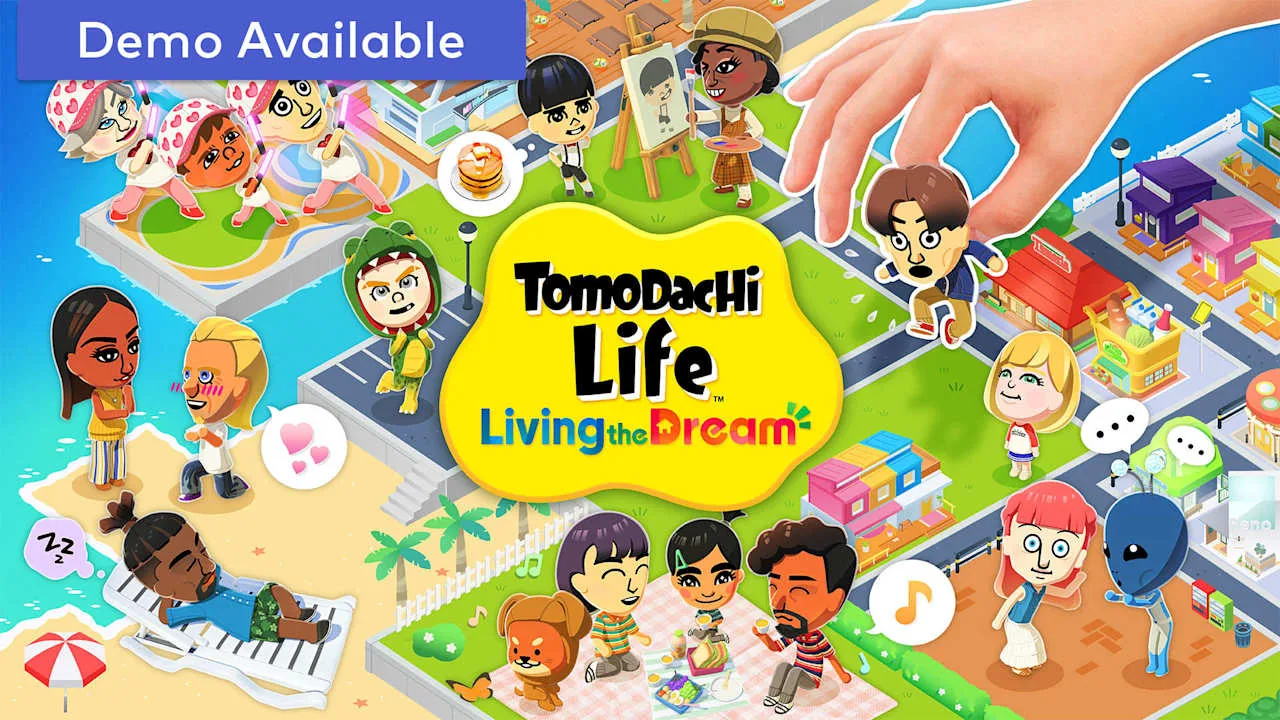
Official Nintendo island artwork used to show the game’s broad social and creative play space.
Check your residents
Start with requests, speech bubbles, sleep indicators, and new scenes so time-sensitive interactions are not buried under decoration.
Guide social stories
Give food, clothes, gifts, and advice, then let the simulation decide how friendships, conflicts, and romance change.
Build your own island
Use shops, homes, island spaces, and custom designs to make the cast and their daily routines feel personal.
What do you actually do in Tomodachi Life?
Tomodachi Life is a social simulation built around short check-ins and surprising resident stories. You create Mii characters, place them on an island, respond to their needs, give them things, and watch the game turn those small decisions into friendships, arguments, dreams, romances, and comedy scenes.
It is not a linear quest list where one final objective tells you when you are finished. The fun comes from building a cast with different personalities, returning to see what changed, and choosing which residents or creative projects deserve your attention in that session.
A good first answer to ‘what do you do?’ is: check people first, follow the most interesting event, improve happiness or relationships, then spend leftover time on shops, island planning, homes, and custom designs.
A practical daily loop for short sessions
You do not need a long farming route to make progress. A five- to fifteen-minute check-in can handle the most visible resident needs, while a longer session can follow social scenes or work on a house and island project.
Use the order below as a flexible routine, not a rule. If a resident is already in the middle of an event, follow that scene before walking to every shop.
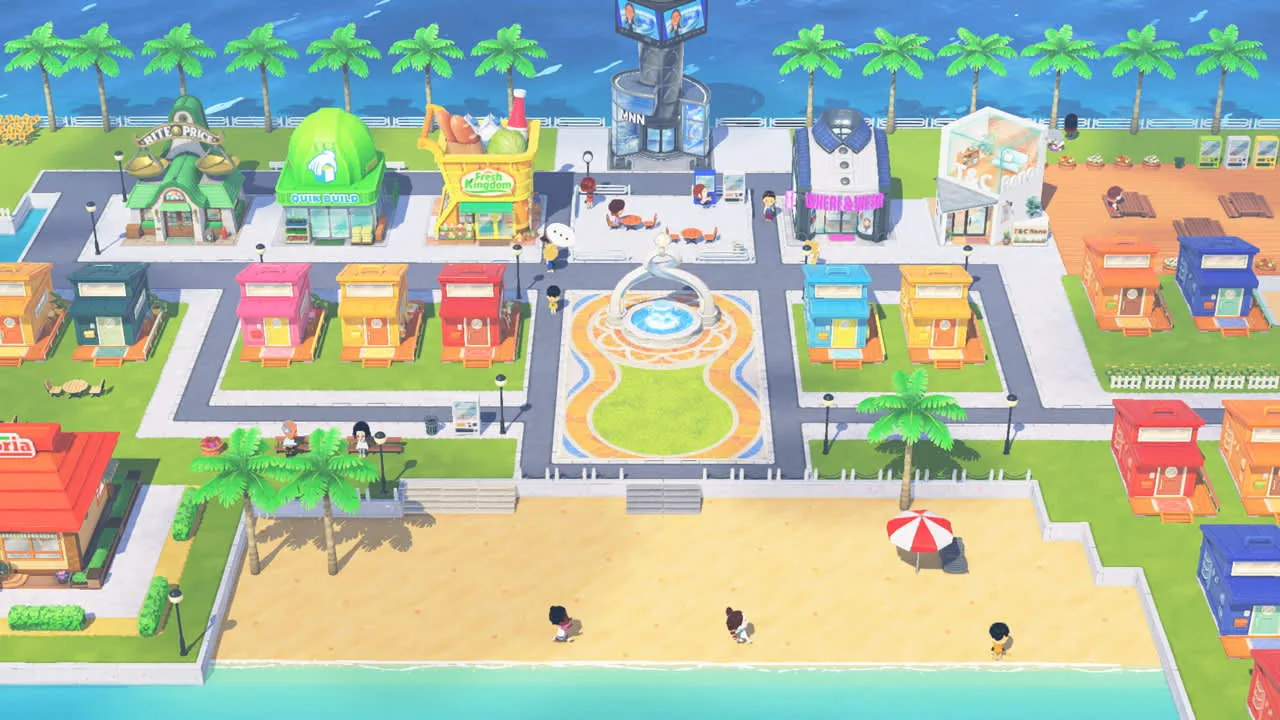
Official Nintendo store screenshot showing the compact island route that supports resident checks, shops, and social activity.
1
Scan homes and resident bubbles
Look for requests, conversations, sleep indicators, relationship changes, and anything that signals a new event.
2
Solve the most useful requests
Handle problems and advice prompts first when they can raise happiness, give an item, or change a resident’s day.
3
Visit shops and use items
Check food, clothes, gifts, interiors, or other available facilities, then use the result on the Mii who needs it most.
4
Follow social scenes
Watch groups, introductions, arguments, apologies, and romance prompts instead of trying to force every outcome yourself.
5
Check sleeping Miis and dreams
When a dream indicator appears, interact with it. Dreams can create unusual scenes and reward items worth tracking.
6
Leave creative work until the end
Decorate the island, adjust a home, or draw an item after time-sensitive resident interactions are complete.
Create Miis and watch social stories develop
The cast is the main source of replay value. Mix recognizable people, original characters, and deliberately different personalities so the same island can produce more varied conversations and pairings. Names, voices, appearance, catchphrases, and personality choices all help you recognize a resident quickly.
You can influence daily life through advice, introductions, food, clothes, gifts, and responses to visible prompts, but the simulation still makes many decisions on its own. Treat relationships as guided chaos: encourage a possibility, then watch what actually happens instead of expecting a guaranteed match.
For exact personality types, Mii recreation and sharing boundaries, or marriage and children, use the dedicated guides linked below. This page keeps those topics inside the larger question of what a normal play session can include.
Official Nintendo store screenshot of a busy public area where residents can create visible social moments.
Use shops, items, homes, and island spaces creatively
The game’s activities are not limited to solving problems. Shopping changes what you can give residents, interiors and clothing help you express personality, and homes or island areas give your cast a stage for future scenes. Small creative choices are useful even when they do not unlock a new quest.
If you enjoy making things, start with one clear theme rather than trying to decorate everything at once. A readable room, a small color palette, or one custom item usually says more about a resident than a screen filled with unrelated objects.
Nintendo’s public pages do not document one universal unlock calendar for every facility or item. Follow the menu and progression shown in your own game, and use the island and custom-house guides for the narrower building questions.
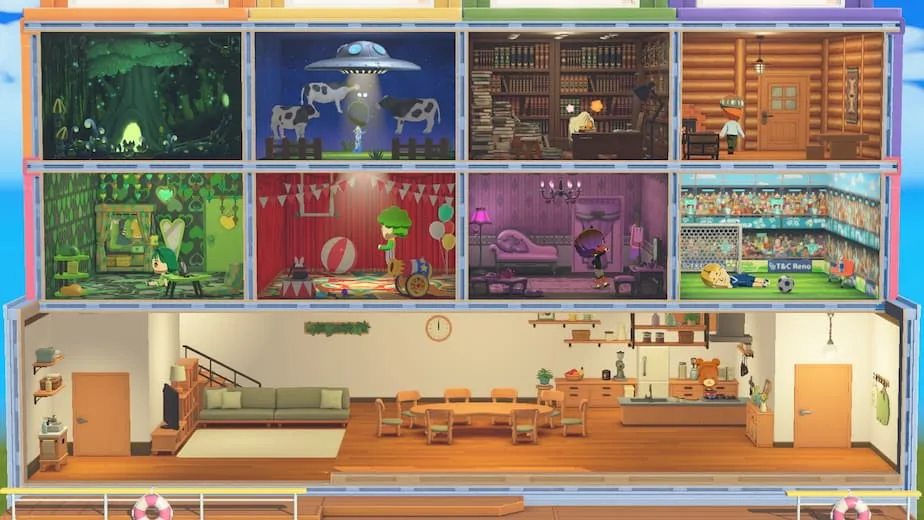
Official Nintendo house media showing how homes and themed rooms add another layer to the daily island loop.
Activity
What to try
Why it helps
Food and gifts
Test preferences and keep useful items for requests
Raises happiness and makes each Mii feel different
Clothes and interiors
Match a look to a resident’s personality or current joke
Creates visual identity and new scene possibilities
Homes and shared rooms
Give a household one clear social center
Makes group scenes easier to read
Island planning
Keep a short route between homes, shops, and public areas
Makes daily check-ins faster and less confusing
Custom designs
Draw bold shapes with a few colors
Adds personal detail without hiding the Mii or the room
Long-term goals when you have finished the first check-in
Once the obvious bubbles are gone, you can shape the island around a longer idea: build a varied roster, keep room for future residents, observe a friendship or romance over several visits, collect dream rewards, or make a set of themed homes. These goals are self-directed, which is why two islands can feel very different.
If the island feels repetitive, change the cast or the question you bring to the next session. Try adding a personality contrast, moving attention to a neglected resident, testing a different gift, or designing a room that gives a group scene a new background.
Do not measure the game only by completion. A successful session can be one funny conversation, one new relationship turn, one useful reward, or one small design that makes the next visit easier to read.
What this guide can and cannot verify
The official Nintendo product page and support FAQ verify the game’s platform, island and resident systems, public media, and support boundaries. They do not publish every building count, exact unlock day, hidden relationship formula, or universal best daily route. Where the official source is silent, this guide describes a practical way to play rather than presenting a rumor as a rule.
As checked on August 2, 2026, Nintendo Support still lists Ver. 1.0.4, released July 23, 2026, as the latest verified software update used by this site. Update through the Nintendo Switch system, and use official product or support pages for availability. This wiki does not distribute ROMs, NSP files, save data, emulator bundles, or unofficial unlock downloads.
For deeper questions, continue to the island, relationships, dreams, personality, Mii sharing, character limit, and custom-house guides rather than expecting one broad page to repeat every specialized table.
Frequently asked questions
What do you do every day in Tomodachi Life?
Check resident requests and bubbles, solve problems, visit useful shops, respond to relationship events, check sleeping Miis and dreams, and use remaining time for island or home customization.
Is there a main story or a final ending?
The game is built around an ongoing social simulation rather than one linear story path. You can keep creating residents, observing events, collecting rewards, and refining the island after the first unlocks.
Can you play Tomodachi Life in short sessions?
Yes. The daily loop works as a short check-in: scan residents, handle the most useful prompts, check facilities and dreams, then stop or continue with a creative project.
What should I do if the island feels boring?
Change the cast or the goal for the next visit. Add a contrasting personality, try a new gift, follow a neglected resident, check dream bubbles, or build a themed home that changes the background for social scenes.
Can I control who Miis become friends or fall in love with?
You can influence relationships with advice, introductions, gifts, and responses to prompts, but the simulation includes its own decisions and randomness. Guide possibilities rather than expecting exact control.
Is this the same as the old 3DS Tomodachi Life loop?
The central idea is still a Mii-focused social simulation, but Living the Dream adds its own Switch-era island, customization, and support details. Use the site’s comparison and update guides for verified differences instead of assuming every old 3DS rule carries over.
What is the latest verified Tomodachi Life: Living the Dream version?
Nintendo Support lists Ver. 1.0.4, released July 23, 2026, as the latest update checked on August 2, 2026. Update through the Nintendo Switch system rather than downloading an unknown file.
Create Miis and watch social stories develop
The cast is the main source of replay value. Mix recognizable people, original characters, and deliberately different personalities so the same island can produce more varied conversations and pairings. Names, voices, appearance, catchphrases, and personality choices all help you recognize a resident quickly.
You can influence daily life through advice, introductions, food, clothes, gifts, and responses to visible prompts, but the simulation still makes many decisions on its own. Treat relationships as guided chaos: encourage a possibility, then watch what actually happens instead of expecting a guaranteed match.
For exact personality types, Mii recreation and sharing boundaries, or marriage and children, use the dedicated guides linked below. This page keeps those topics inside the larger question of what a normal play session can include.